
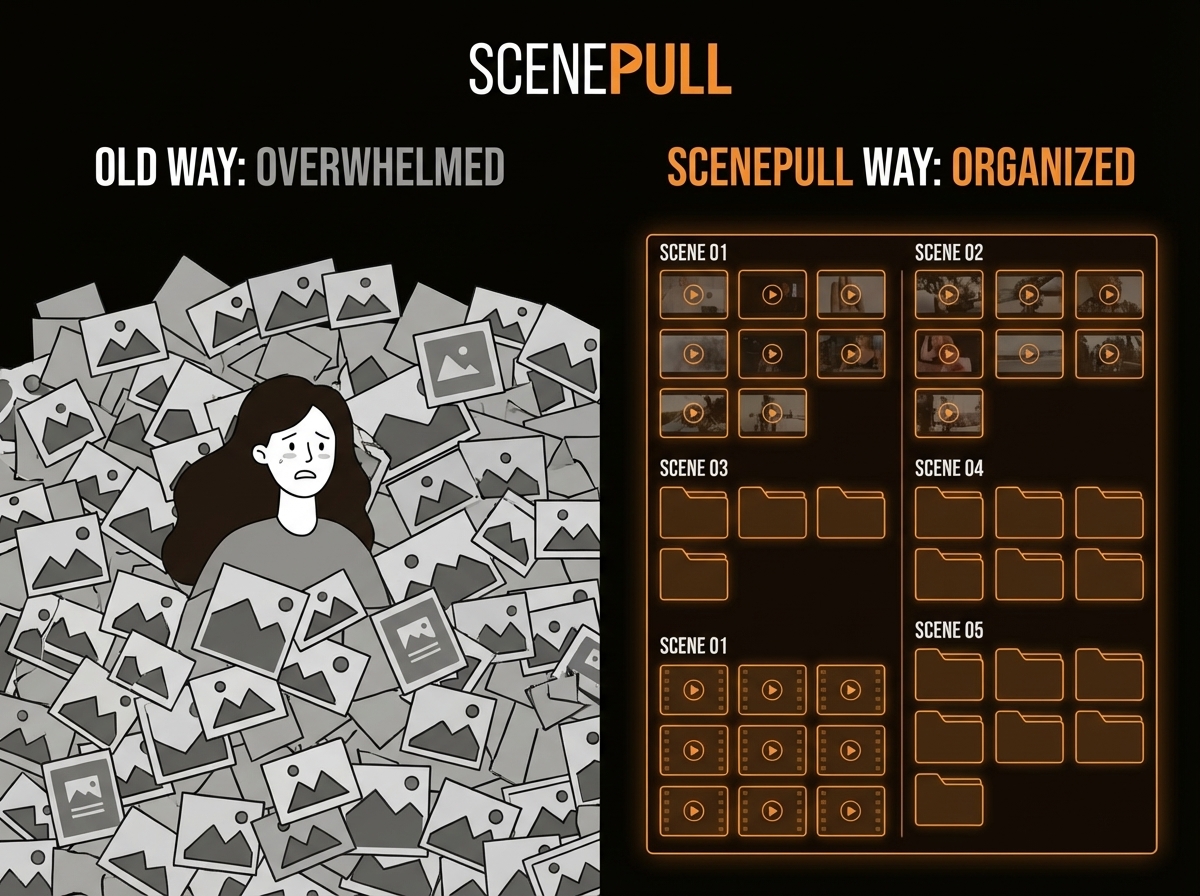
Manual B-Roll Search vs ScenePull: What 90 Minutes Per Video Is Actually Costing You
If you search Pexels, Unsplash, or Shutterstock manually for b-roll, you're spending 60-120 minutes per video on a task that ScenePull handles in under 60 seconds. That's not a marketing claim — it's a workflow comparison. This page breaks down exactly where that time goes, what it costs, and when manual search still makes sense.
Where Your Time Actually Goes When You Search Manually
Most creators underestimate how much time manual b-roll sourcing takes because it's fragmented across the editing session. You don't sit down for 90 minutes of focused stock footage searching — it happens in bursts:
- 8 minutes: open Pexels, type "business meeting", scroll through 40 results, pick one that's acceptable
- 5 minutes: realize it doesn't match the tone, go back and try again with "remote work team"
- 12 minutes: need something for "economic uncertainty" — this one's abstract, takes multiple search iterations
- 6 minutes: Pexels doesn't have what you need, open Shutterstock, repeat the search
- 10 minutes: the Shutterstock clip is watermarked, realize you need to check your subscription tier
- 15 minutes: organize and rename the files you've downloaded so you can find them in your NLE
Multiply this across 8-10 scenes in a standard YouTube video. You're at 90 minutes easily. For creators who produce technical, financial, or educational content where visual accuracy matters, add 30 more minutes.
The Accuracy Problem with Manual Search
When you search manually, you're searching for what you can type. "Scientists in lab." "City traffic." "Person stressed at desk." These keyword searches surface whatever the stock library has tagged with those terms — and stock tagging is notoriously inconsistent.
The result: your b-roll is as specific as your keywords, which is usually not very specific. You end up with footage that's adjacent to what you need rather than precisely right for the moment in your script.
ScenePull reads the full context of your scene — the words before and after, the narrative arc, the emotional register — and generates asset recommendations based on what the scene is actually trying to communicate. The difference is visible in the edit. Contextually accurate b-roll makes your content look more intentional, which it is.
Time and Cost Comparison
| Factor | Manual Search | ScenePull |
|---|---|---|
| Time per 10-scene video | 60-120 minutes | ~1 minute |
| Time per month (3 videos/week) | 12-24 hours | ~12 minutes |
| Cost (time at $50/hr equivalent) | $600-$1,200/mo | — |
| Tool cost | $0 (if using free libraries) | $9-$29/mo |
| Shutterstock subscription (if needed) | $29-$249/mo | Not required |
| NLE timeline already built | No | Yes (Premiere, DaVinci, CapCut) |
| B-roll accuracy | Moderate | Higher |
| Consistent across all videos | No | Yes |
The hidden cost in this table is the Shutterstock line. Many creators pay $29-$49/mo for a stock subscription because free libraries (Pexels, Unsplash, Pixabay) don't cover every topic. ScenePull sources from multiple libraries simultaneously and handles the licensing layer — you're not managing multiple subscriptions or checking watermarks before export.
What Manual Search Still Does Well
Be honest: there are cases where manual search makes more sense.
Hyperspecific footage: If you need a specific city, a specific face type, or a clip that matches a very particular aesthetic, manual search gives you control that AI matching can't replicate. You can browse and make judgment calls that no tool can make for you.
One-off videos: If you produce one video per month, the time cost of manual search is manageable. You're not losing 20 hours a month — you're losing 90 minutes once. ScenePull at $9/mo may not earn its cost at that production volume.
Free budget: If you're a new creator with no budget, manual search on Pexels and Unsplash costs nothing. ScenePull's free tier gives you 3 generations to test the workflow before committing.
The NLE Export Advantage
→ Try ScenePull free — paste your first script
Here's what manual search can't do: it can't give you a Premiere Pro sequence that already has your b-roll placed on the timeline, matched to the corresponding script sections.
When you search manually, you download files, import them into your NLE, and then spend additional time placing them on the correct timeline positions. That placement work alone adds 20-30 minutes to a typical edit.
ScenePull exports:
- XMEML for Premiere Pro — opens directly as a sequence with assets pre-positioned
- EDL for DaVinci Resolve — same pre-built structure
- JSON for CapCut — timeline-ready import
This is the part that separates ScenePull from just "searching faster." You're not just getting b-roll suggestions. You're getting a pre-built editing structure that removes the placement work entirely.
Real Workflow Comparison: Same 10-Minute Video
Manual workflow:
- Write script (not counted)
- Open Pexels, search scene by scene (75 minutes)
- Download 15-20 assets, rename and organize (15 minutes)
- Import into Premiere Pro (5 minutes)
- Place assets on timeline manually, adjust in/out points (30 minutes)
- Total b-roll time: 125 minutes
ScenePull workflow:
- Write script (not counted)
- Paste script into ScenePull, generate assets (60 seconds)
- Export XMEML, open in Premiere Pro — timeline pre-built (3 minutes)
- Review and adjust any placements that need tweaking (10-15 minutes)
- Total b-roll time: ~18 minutes
The 107-minute difference is not a rounding error. Over 12 videos per month, you're recovering roughly 21 hours of production time.
Pricing: What You're Actually Comparing
| Option | Monthly Cost | Videos Covered |
|---|---|---|
| Pexels only (free) | $0 | Limited selection |
| Pexels + Shutterstock | $29-$249 | Better selection, still manual |
| ScenePull Starter | $9 | 15 video generations |
| ScenePull Pro | $29 | 50 video generations + NLE export |
If you're already paying for a Shutterstock subscription to supplement Pexels, ScenePull Pro at $29/mo is cost-competitive — and saves you 20+ hours per month.
Verdict
Manual b-roll search is free and gives you maximum control. It's also slow, inconsistent, and adds 60-120 minutes to every video you make. If you produce more than 4 videos per month, ScenePull pays for itself in the first week. The NLE export alone — the pre-built timeline — saves more time than the b-roll search itself.
The only reason to stay manual: you produce very few videos, have a zero budget, or need a level of visual specificity that requires human browsing and judgment.
Try ScenePull Free
Paste your script, get production-ready b-roll in under 2 minutes. No credit card required.