
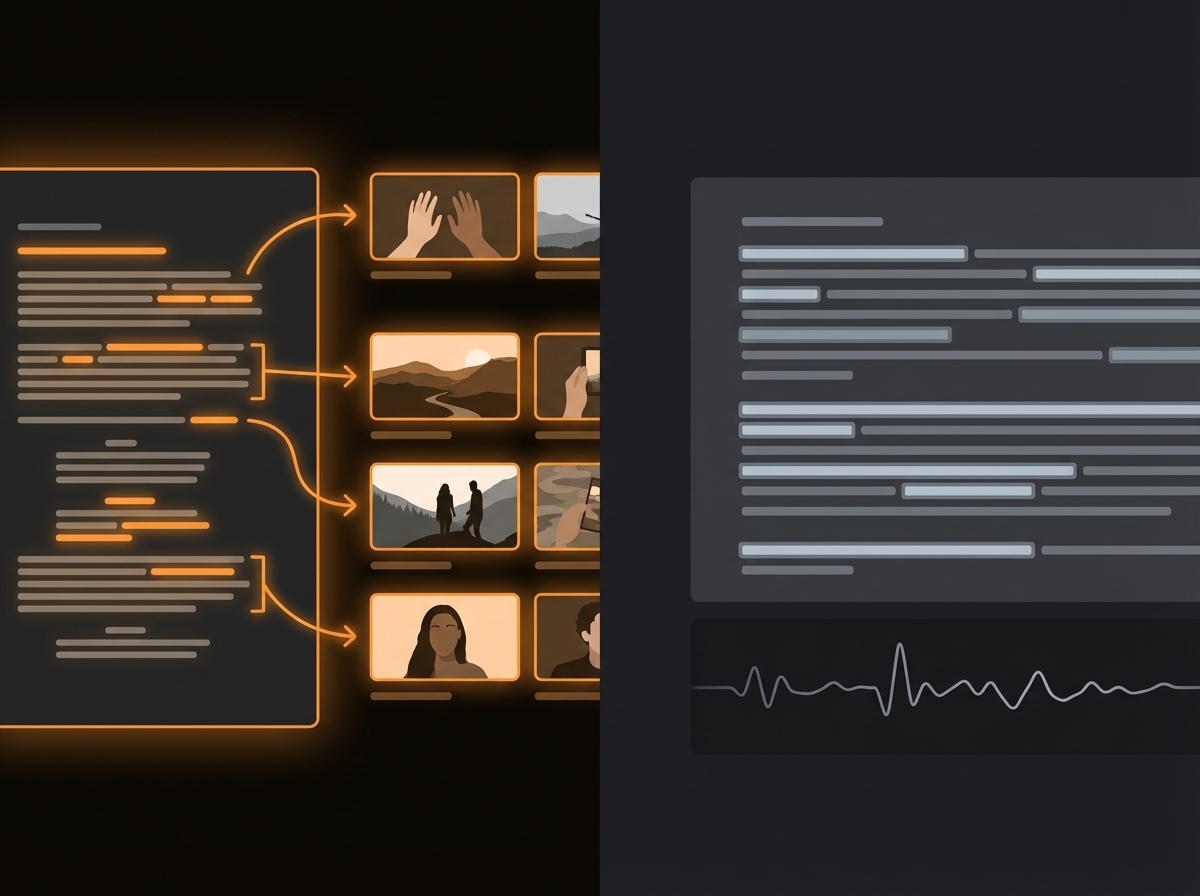
ScenePull vs Descript: Different Stages, Different Problems
ScenePull is a pre-production tool you use before you record. Descript is an editing tool you use after you record. If you're comparing them to decide which one to buy, the answer depends entirely on which part of your workflow is breaking down — not which tool has more features.
This page explains both tools honestly, where they overlap (barely), and how serious creators can use both without redundancy.
What Descript Actually Does
Descript is a text-based video editor. You upload recorded footage, Descript transcribes it, and you edit the video by editing the text — delete a word in the transcript, the corresponding video clip disappears. It's excellent at:
- Removing filler words ("um", "uh", "like") automatically
- Overdub: re-recording specific words with your AI voice clone without re-recording the full clip
- Collaborative video review with comments directly on the timeline
- Screen recording with built-in transcription
- Basic multi-track editing for podcasts and interviews
Descript does not help you find b-roll. It does not analyze your script before recording. It does not export to Premiere Pro or DaVinci Resolve with pre-built b-roll timelines. It's an editing environment, not a pre-production environment.
Descript's pricing starts at around $12/mo for the Hobbyist plan, with Creator at $24/mo and Business at $40/mo. The Overdub feature (AI voice clone) requires the Creator tier or above.
What ScenePull Actually Does
ScenePull is a script-to-b-roll tool. You paste your written script before you record anything. ScenePull's AI reads each scene, understands what it's trying to communicate visually, and returns b-roll asset recommendations matched to that scene's context — not just its keywords.
You then export those assets in the format your NLE expects:
- XMEML for Premiere Pro (opens as a ready-made sequence)
- EDL for DaVinci Resolve
- JSON for CapCut
ScenePull does not transcribe video. It does not remove filler words. It does not record your screen. It does one thing: turn a written script into a usable b-roll plan with an NLE export, in about 60 seconds.
Where They Sit in Your Production Timeline
| Stage | Tool | What It Does |
|---|---|---|
| Script written | ScenePull | Analyzes script, generates b-roll assets, exports NLE timeline |
| Recording | Neither | You record |
| Editing (cuts, filler removal) | Descript | Text-based editing, filler word removal, overdub |
| B-roll placement | Your NLE | Using ScenePull's pre-built timeline |
| Final export | Descript or NLE | Depending on your workflow |
The gap between them is your recording session. ScenePull happens before it. Descript happens after it.
Feature Comparison
| Feature | ScenePull | Descript |
|---|---|---|
| Script analysis (before recording) | Yes | No |
| B-roll asset generation | Yes | No |
| NLE export (Premiere, DaVinci, CapCut) | Yes | No (Descript is self-contained) |
| Video transcription | No | Yes |
| Filler word removal | No | Yes |
| AI voice overdub | No | Yes |
| Text-based video editing | No | Yes |
| Collaborative review | No | Yes |
| Works from written script | Yes | No (needs recorded footage) |
| Free tier | Yes (3 gen) | Yes (limited) |
| Paid plans start at | $9/mo | ~$12/mo |
There is essentially zero feature overlap between these two tools. The question isn't which one is better — it's which problem you're solving right now.
When You Need ScenePull (Not Descript)
→ Try ScenePull free — paste your first script
Your production bottleneck is before the edit. You're spending 90 minutes per video searching for b-roll that matches your script. You record talking-head or voiceover content and need visual assets to cut to. You work inside Premiere, DaVinci, or CapCut and want your b-roll sourcing to happen automatically, not manually.
ScenePull makes sense for: YouTube educators, finance content creators, tech reviewers, documentary-style channels, automation/faceless channels. Any content type where the script drives the visual plan.
When You Need Descript (Not ScenePull)
Your production bottleneck is in the edit. You spend too long cutting out filler words, silence, and stumbles in your talking-head footage. You want to correct a specific word without re-recording. You want your editor or producer to be able to leave comments directly on the timeline without exporting anything.
Descript makes sense for: podcast creators, interview-heavy channels, anyone who records conversationally and needs heavy post-production cleanup, teams with collaborative editing workflows.
The Workflow Where Both Make Sense Together
If you produce scripted talking-head YouTube content, running both tools in sequence makes the entire production faster:
- Write your script
- Run it through ScenePull — get your b-roll plan and NLE timeline (2 minutes)
- Record your talking-head footage
- Upload recording to Descript — remove filler words, fix stumbles (15-20 minutes)
- Export from Descript
- Import into Premiere/DaVinci with your pre-built ScenePull b-roll timeline
- Place talking-head track, b-roll is already positioned — adjust as needed (20-30 minutes)
This workflow removes the two biggest time drains in scripted YouTube production: b-roll sourcing and filler word cleanup. Together they cost most creators 2-3 hours per video. Running ScenePull + Descript cuts that to under an hour.
Pricing Side by Side
| Plan | ScenePull | Descript |
|---|---|---|
| Free | 3 generations | Limited transcription |
| Entry paid | $9/mo (15 gen) | ~$12/mo (Hobbyist) |
| Mid tier | $29/mo (50 gen + NLE export) | ~$24/mo (Creator) |
| Business tier | — | ~$40/mo |
If budget is tight and you have to choose one: pick based on your specific bottleneck. Spending 2+ hours per video searching b-roll? ScenePull. Spending 2+ hours cutting filler words and stumbles? Descript. Most creators who get past their initial bottleneck eventually add the other tool.
Verdict
ScenePull and Descript solve different stages — but if you can only pick one, start with ScenePull. Pre-production improvements compound into everything downstream: faster edits, tighter timelines, better visual quality. Fixing b-roll sourcing saves more total time than fixing filler words. Once your pre-production is tight, adding Descript for post-production cleanup makes sense as a second investment.
Try ScenePull Free
Paste your script, get production-ready b-roll in under 2 minutes. No credit card required.